
 添加-微信
添加-微信常用 class
1.左侧数量不相同的情况下,均匀分布
css
text-align-last: justify;2. :has(+input[data-required])
是必选
不必选
vue
<template>
    <div>
        <div class="label">
            <span>是必选</span>
            <input data-required class="textinput" type="text">
        </div>
        <div class="label">
            <span>不必选</span>
            <input class="textinput" type="text">
        </div>
    </div>
</template>
css
.label > span:has(+ input[data-required])::after {
  content: "*";
  color: red;
}
3.首字母的大写 ::first-letter / 改变选中内容的样式 ::selection
这里是首字母大写的效果
css
.hkpcontent::first-letter {
  font-size: 30px;
  float: left;
  text-transform: uppercase;
  margin-right: 10px;
}
.hkpcontent::selection {
  background-color: red;
}
4.跟随窗口改变值
css
@words:'A','B','C';
@max : 800px ;
.hkph1::after{
    content:'A';
    each(
        @words, {
            @media screen and (max-width: @max){
                content:@value;
            }
            @max - 200px;
    })
}
5.动画属性

这里是文字
vue
<template>
    <div>
        <div class="hkpflex">
            <div class="boxcontainer">
                <img src="https://img2.baidu.com/it/u=1581619134,1865744160&fm=253&fmt=auto&app=120&f=JPEG?w=1280&h=800" alt="" class="box3" />
            </div>
            <div class="box2container">
                <img src="https://img2.baidu.com/it/u=1581619134,1865744160&fm=253&fmt=auto&app=120&f=JPEG?w=1280&h=800" alt="" class="box2" />
            </div>
        </div>
        <div class="hkpflex">
            <div class="box3container">
                <div class="containersize">这里是文字</div>
            </div>
        </div>
    </div>
</template>
css
.hkpflex{
    display:flex;
}
.box3{
    display:block;
    clip-path:polygon(50% 0%,100% 50%,50% 100%,0% 50%);
    transition:0.5s;
}
.boxcontainer{
    width:300px;
    background-color:#000;
}
.boxcontainer:hover .box{
    clip-path:polygon(100% 0%,100% 100%,0% 100%,0% 0%);
}


.box2container{
    width:300px;
    background-color:#000;
    margin-left:15px;
}
.box2{
    display:block;
    clip-path:ellipse(50% 19% at 50% 50%);
    transition:0.5s;
    animation: wink 3s infinite;
}

@keyframes wink{
    15%{
        clip-path:ellipse(50% 1% at 50% 50%);
    }
    30%{
        clip-path:ellipse(50% 19% at 50% 50%);
    }
    45%{
        clip-path:ellipse(50% 1% at 50% 50%);
    }
    70%{
        clip-path:ellipse(50% 40% at 50% 50%);
    }
}


.box3container{
    background:url("https://img2.baidu.com/it/u=1581619134,1865744160&fm=253&fmt=auto&app=120&f=JPEG?w=1280&h=800");
    background-repeat: no-repeat;
    background-attachment: fixed;
    background-position: center;
    background-size: 100% 100%;
    background-size: cover;
    background-position:100%,100%;
    width:300px;
    height:187px;
    margin-top:10px;
}
.containersize{
    text-align:center;
    line-height:187px;
    animation: winks 2s infinite;
    color:red;
}
@keyframes winks{
    0%{
        clip-path:inset(100% 0 0 0);
        transform:translateY(-100%);
    }
    100%{
        clip-path:inset(0 0 0 0);
    }
}
6.动态边框
动态边框
css
.dtbox{
    width:120px;
    height:50px;
    line-height:50px;
    text-align:center;
    color:#fff;
    border-radius: 6px;
    position: relative;
    overflow: hidden;
}
.dtbox:before{
    content:'';
    width:240px;
    background-color:#89DDFF;
    height:100px;
    position: absolute;
    left:50%;
    top:50%;
    z-index:-2;
    transform-origin:left top;
    animation: rotation 2s linear infinite;
}
.dtbox:after{
    content:'';
    --g:4px;
    width:calc(100% - var(--g) * 2);
    background-color:#333;
    height:calc(100% - var(--g) * 2);
    position: absolute;
    left:var(--g);
    top:var(--g);
    z-index:-1;
    border-radius: inherit;
}

@keyframes rotation{
    to{
        transform:rotate(360deg)
    }
}
7.平滑动画
css
html{
    scroll-behavior:smooth;
}
7.擦除效果
That’s an understatement! This is an incredible amount of work, even if Eric calls it “dry as a toast sandwich.” Boring ain’t always a bad thing. Let me simply drop in a pen that Dave put together pulling all of Eric’s findings into a table organized to compare the different behaviors between operating systems — and additional tables for each specific platform — because I think it helps frame Eric’s points.
That’s an understatement! This is an incredible amount of work, even if Eric calls it “dry as a toast sandwich.” Boring ain’t always a bad thing. Let me simply drop in a pen that Dave put together pulling all of Eric’s findings into a table organized to compare the different behaviors between operating systems — and additional tables for each specific platform — because I think it helps frame Eric’s points.
vue
<template>
    <div class="containers">
        <p>
        That’s an understatement! This is an incredible amount of work, even if Eric calls it “dry as a toast sandwich.” Boring ain’t always a bad thing. Let me simply drop in a pen that Dave put together pulling all of Eric’s findings into a table organized to compare the different behaviors between operating systems — and additional tables for each specific platform — because I think it helps frame Eric’s points.
        </p>
        <p class="eraser">
            <span class="textss">
            That’s an understatement! This is an incredible amount of work, even if Eric calls it “dry as a toast sandwich.” Boring ain’t always a bad thing. Let me simply drop in a pen that Dave put together pulling all of Eric’s findings into a table organized to compare the different behaviors between operating systems — and additional tables for each specific platform — because I think it helps frame Eric’s points.
            </span>
        </p>
    </div>
</template>
css
.containers{
    position:relative !important;
    line-height:2;
    background:#000;
    color:red;
    padding:10px;
    border-radius:10px;
}
.eraser{
    position:absolute;
    left:10px;
    top:10px;
}
.textss{
    --p:10%;
    background:linear-gradient(to right,#0000 var(--p),#000 calc(var(--p) + 100px));
    color:transparent;
    animation:erase 5s forwards;
}

@property --p{
    syntax:'<percentage>';
    initial-value:0%;
    inherits:false;
}

@keyframes erase{
    to{
        --p:100%;
    }
}
8.鼠标移入
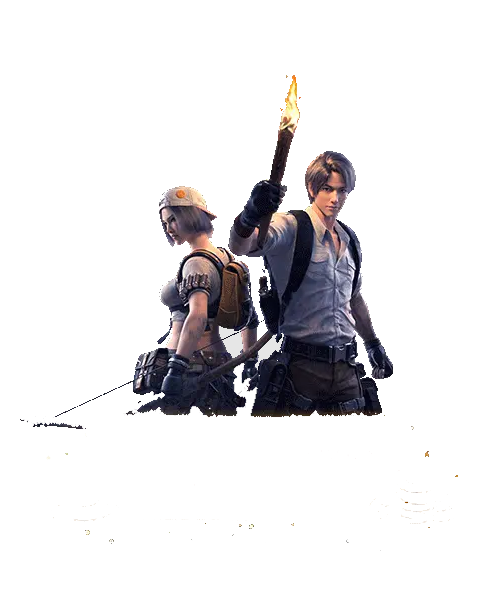

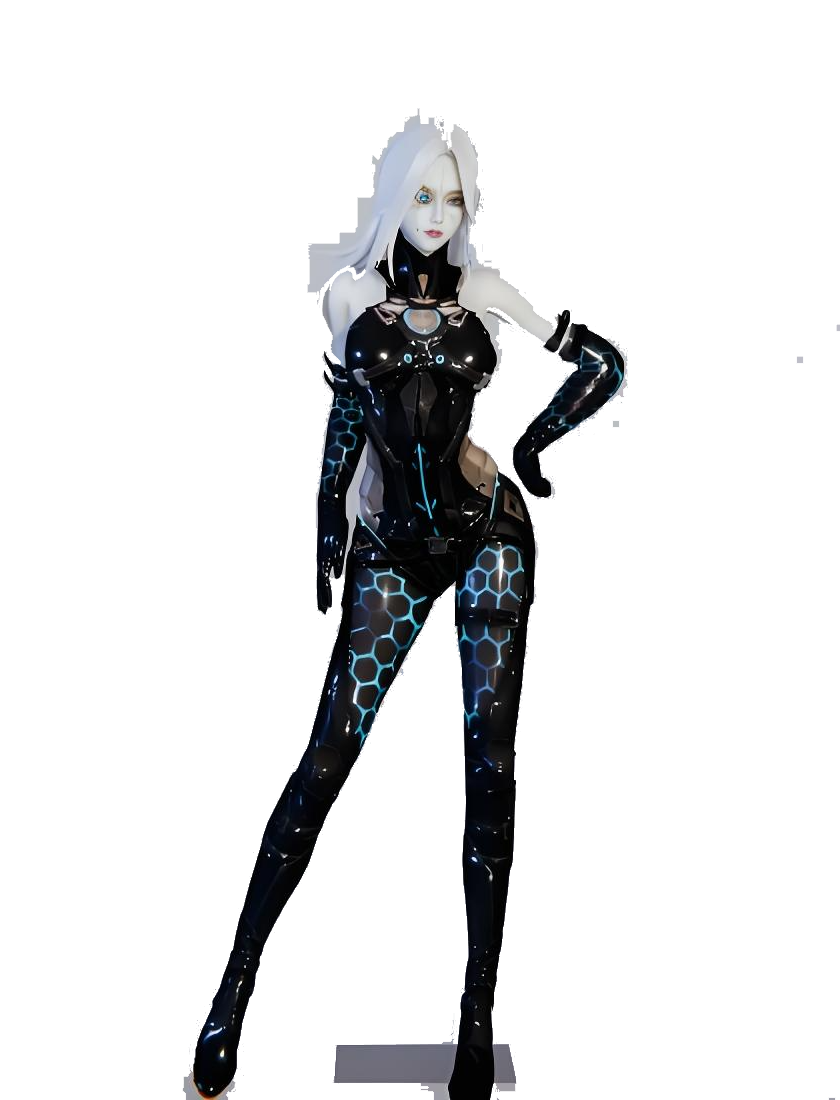
vue
<template>
    <div class="cards">
        <img src="../assets/cover.png" class="cover" />
        <img src="../assets/title.png" class="title" />
        <img src="../assets/hero.png" class="hero" />
    </div>
</template>
css
.cards{
    position:relative !important;
    width:200px;
    height:264px;
}
.cards img{
    width:100%;
    position:absolute;
    transition:0.5s;
}
.cover{
    z-index:1;
}
.cards:hover .cover {
    box-shadow:0 35px 35px -8px rgba(0,0,0,0.75);
    transform:perspective(500px) rotateX(25deg);
}
.hero{
    z-index:2;
    opacity:0;
}
.cards:hover .hero {
    opacity:1;
    transform:perspective(500px) translate3d(0px, -50px,50px);
}
.title{
    z-index:3;
    bottom:0;
}
.cards:hover .title {
    transform:perspective(500px) translate3d(0, -25px, 50px);
}
9.省略号
字数太多显示省略号字数太多显示省略号字数太多显示省略号字数太多显示省略号
字数太多显示省略号字数太多显示省略号字数太多显示省略号字数太多显示省略号
css
/* 一行省略 */
.ellipsis_one{
  overflow: hidden;
  white-space: nowrap;
  text-overflow: ellipsis;
}
/* 多行省略 */
.ellipsis_two{
    display: -webkit-box;
	overflow: hidden;
	white-space: normal !important;
	text-overflow: ellipsis;
	word-wrap: break-word;
	-webkit-line-clamp: 2;
	-webkit-box-orient: vertical;
    width:150px;
}
10.渐变阴影边框
vue
<template>
    <div>
        <div class="caibj"></div>
    </div>
</template>
css
.caibj{
    background:url('https://img2.baidu.com/it/u=1581619134,1865744160&fm=253&fmt=auto&app=120&f=JPEG?w=1280&h=800') no-repeat center center / cover;
    position:relative;
    width:300px;
    height:200px;
    --sx:10px;
    --sy:10px;
}

.caibj:after{
    content:'';
    position:absolute;
    left:var(--sx);
    top:var(--sy);
    z-index:-1;
    width:300px;
    height:200px;
    filter: blur(10px);
    background:linear-gradient(to right, orange, yellow, green, blue, indigo, violet);
    clip-path:polygon(
        -100vmax -100vmax,100vmax -100vmax,100vmax 100vmax,-100vmax 100vmax,-100vmax -100vmax,
        calc(0px - var(--sx)) calc(0px - var(--sy)),
        calc(0px - var(--sx)) calc(100% - var(--sy)),
        calc(100% - var(--sx)) calc(100% - var(--sy)),
        calc(100% - var(--sx)) calc(0px - var(--sy)),
        calc(0px - var(--sx)) calc(0px - var(--sy))
    )
}
11.延迟动画
vue
<script setup lang="ts">
    import { ref } from 'vue';
    const rangeValue =ref(0);
    const ballElement = ref(null);
    const handleInput = (event: Event) => {
        const inputElement = event.target as HTMLInputElement;
        ballElement.value.style['animation-delay']=`${-inputElement.value}s`
        console.log(inputElement.value,ballElement.value.style);
    };
</script>
<template>
    <div class="container">
        <div class="ball" ref="ballElement"></div>
        <input type="range" min="0" max="1" step="0.01" @input="handleInput" v-model="rangeValue">
    </div>
</template>
css
.ball{
    width:50px;
    height:50px;
    border-radius:50%;
    background-color:red;
    margin-bottom:50px;
    animation:move 1s ease forwards paused;
}
@keyframes move{
    0%{
        background:blue;
    }

    50%{
        background:yellow;
    }

    100%{
        background:red;
    }
}
12.常用阴影
这里是常用阴影
css
.boxshadow{
    box-shadow: 0 0 15px #d3d3d3;
    padding:15px;
    box-sizing: border-box;
}
css
.boxshadow_2{
    width:100px;
    height:100px;
    border-radius: 50%;
    margin:auto;
    box-shadow:-20px 0 20px 5px rgba(213, 255, 145, 0.5),
    0px -20px 20px 5px rgba(145, 255, 191, 0.5),
    20px 0 20px 5px rgba(82, 255, 220, 0.5),
    0 20px 20px 5px rgba(239, 255, 91, 0.5);
}
13.蜂窝式布局
vue
<template>
    <div class="fw_container">
        <div class="fw_line">
            <div class="fw_item"></div>
            <div class="fw_item"></div>
            <div class="fw_item"></div>
            <div class="fw_item"></div>
            <div class="fw_item"></div>
            <div class="fw_item"></div>
            <div class="fw_item"></div>
            <div class="fw_item"></div>
            <div class="fw_item"></div>
            <div class="fw_item"></div>
        </div>
        <div class="fw_line">
            <div class="fw_item"></div>
            <div class="fw_item"></div>
            <div class="fw_item"></div>
            <div class="fw_item"></div>
            <div class="fw_item"></div>
            <div class="fw_item"></div>
            <div class="fw_item"></div>
            <div class="fw_item"></div>
            <div class="fw_item"></div>
            <div class="fw_item"></div>
        </div>
        <div class="fw_line">
            <div class="fw_item"></div>
            <div class="fw_item"></div>
            <div class="fw_item"></div>
            <div class="fw_item"></div>
            <div class="fw_item"></div>
            <div class="fw_item"></div>
            <div class="fw_item"></div>
            <div class="fw_item"></div>
            <div class="fw_item"></div>
            <div class="fw_item"></div>
        </div>
    </div>
</template>
css
body {
	margin: 0;
}
.fw_container {
	overflow: hidden;
    width:400px;
    --ww: calc(600px / 12);
}
.fw_line {
	display: flex;
}
/* 偶数行左移 */
.fw_line:nth-child(even) {
	margin-left: calc(var(--ww) / -2);
}
/* 第1行之后的元素上移 */
.fw_line:nth-child(1)~.line {
	margin-top: -1.5vw;
}
.fw_item {
	width: var(--ww);
	height: var(--ww);
	background:#000;
	/* 六边形裁剪 */
	clip-path: polygon(50% 0%, 95% 25%, 95% 75%, 50% 100%, 5% 75%, 5% 25%);
	/* 静态盒子取消压缩 */
	flex-shrink: 0;
}